Everything FetchJ does – today
Every feature on this page is in the current program. The pictures use invented data.
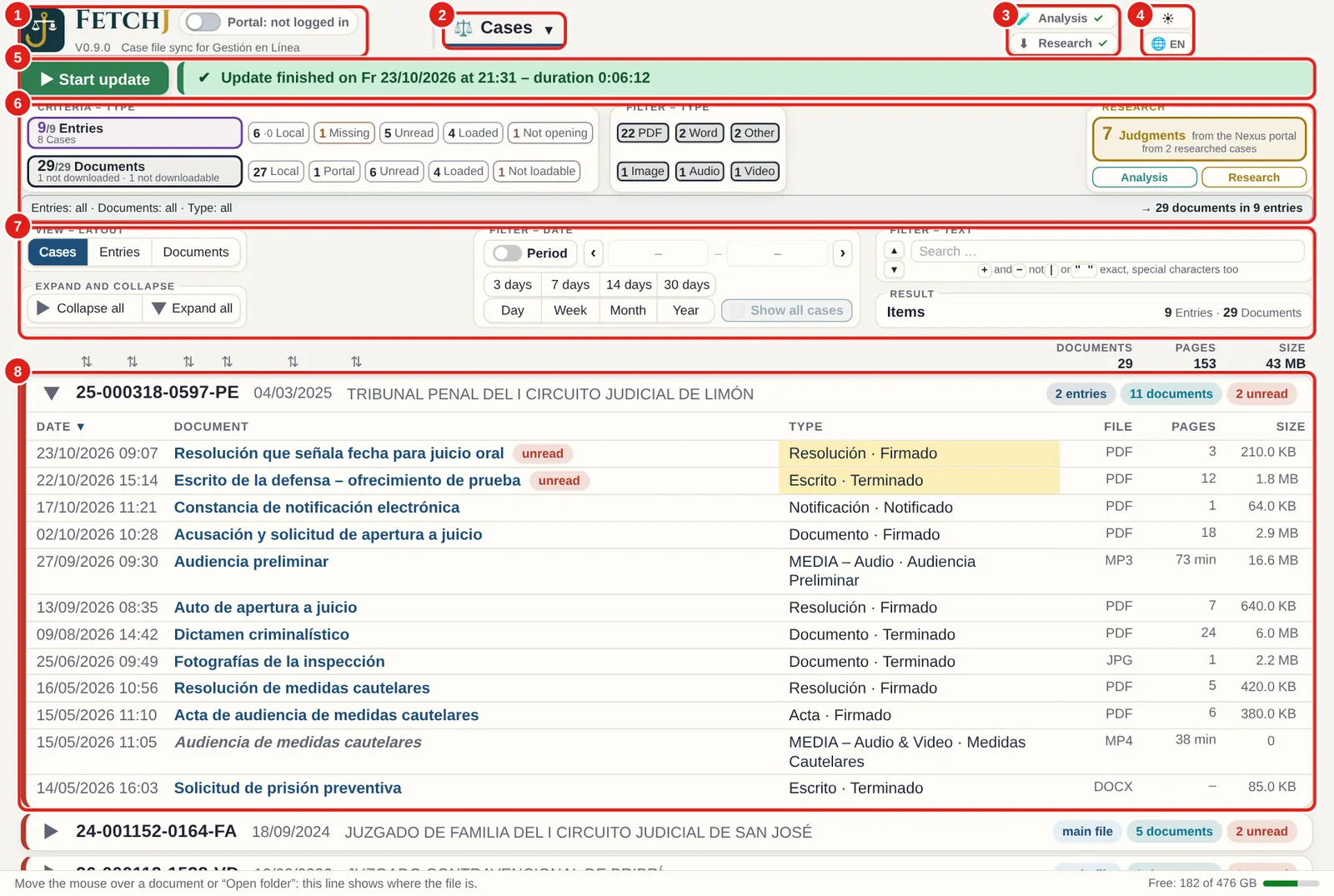
Your case files, complete and up to date
One click on “Start update”: FetchJ reads “Mis expedientes”, opens every main file and sub-file and downloads every missing document. Next time, only what is new.
- Main files and sub-files (legajos), at every instance
- Hearing recordings (audio and video) if you like – per case
- One folder per case number, in the location you choose
- Pause and resume; nothing is downloaded twice
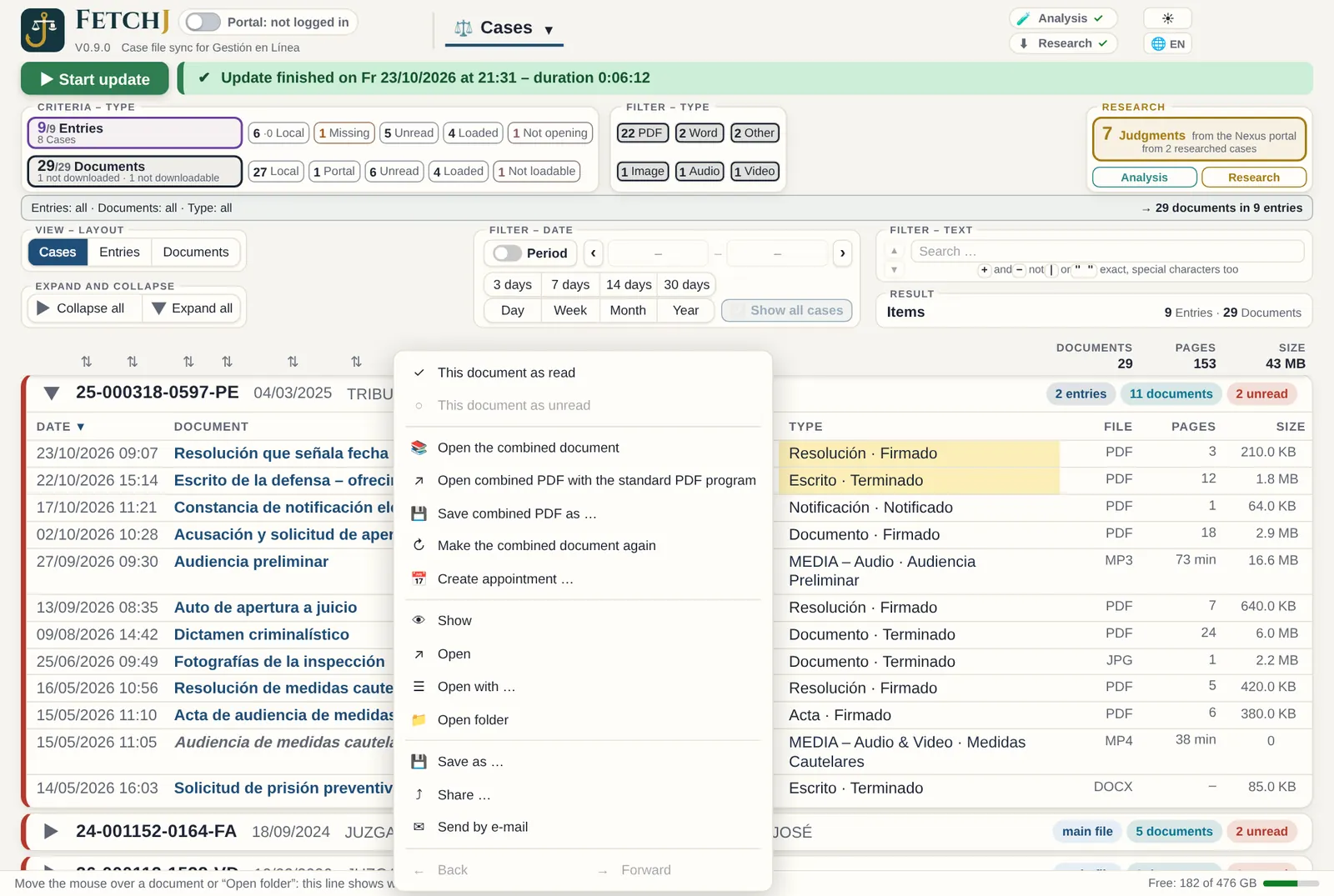
What is new and important, at a glance
Hundreds of documents are no longer a problem: new items stay “unread” until you open them, and filters shrink the list in seconds.
- Unread, new in the last 3, 7, 14 or 30 days
- File type: PDF, Word, image, audio, video, other
- Text with “and”, “or”, “not” and exact phrase
- Sort by year, number, court office, matter or date
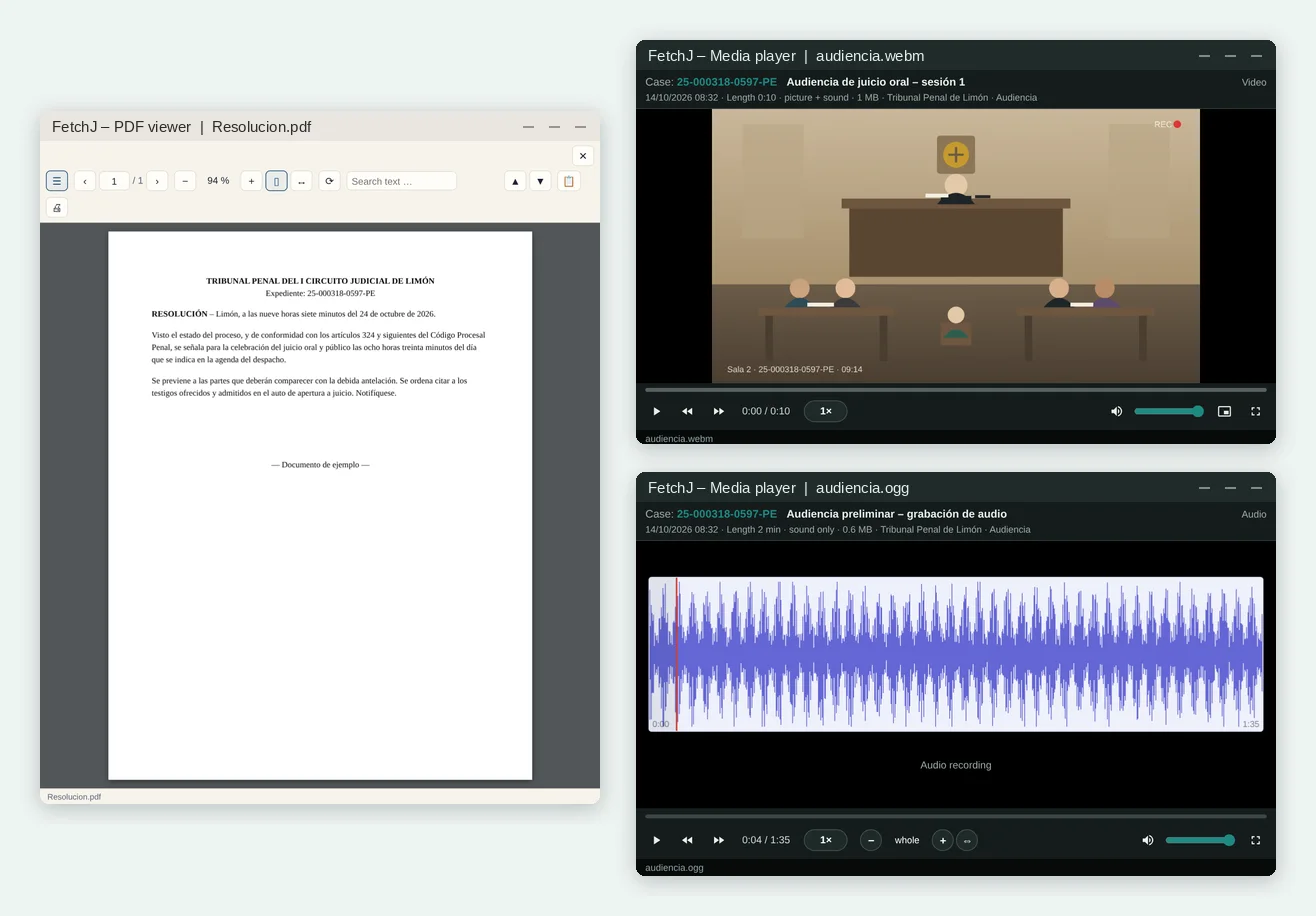
Viewer, player and complete PDF
Reading without hunting for files: the FetchJ viewer opens PDFs and images beside the list; hearings play in the built-in player.
- Word, RTF and others in the Windows program
- Complete PDF per case: sorted, numbered, with contents and bookmarks
- Red pages for missing documents, blue ones for recordings
- Your own note on every page (“not an official version”)
Orderly names, untouched files
Files carry names you understand – date, case number, description, type – and FetchJ never changes a downloaded document.
- The real file type is recognised from the content, not the name
- Every download is logged
- Documents the portal does not deliver: marked, retried and listed for the court
- Nothing is overwritten: a different file with the same name is saved separately

Your files, read by FetchJ – offline
The analysis reads all documents of a case on your computer, scanned pages too, with text recognition (OCR).
- Keywords and a search suggestion
- Case outline: offences, facts, articles, orders – rules only, no AI and no names
- OCR add-on of about 15 MB, once
- When new documents arrive, only those are read
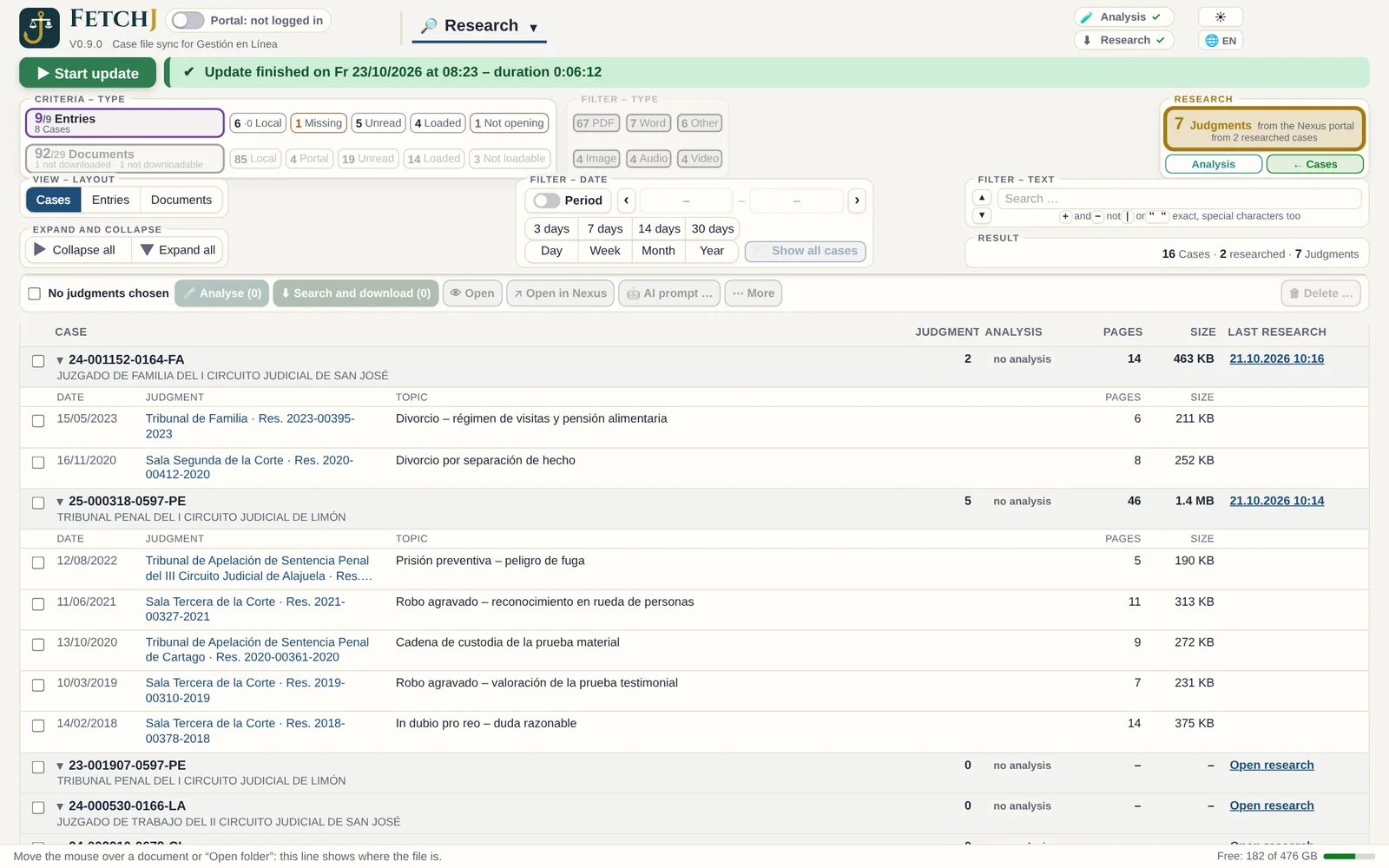
Precedents for your case, in order
With the analysis keywords FetchJ searches public case-law databases (in Costa Rica: Nexus.PJ) – specifically for each case – and ranks the rulings by matches. You read first what comes closest to your case. All in the background.
- Instance, matter, keywords, period and number
- One download after another, with a pause, so the database is not overloaded
- Rulings per case: open, ZIP, send, copy
- Ready AI prompt for the AI of your choice – FetchJ sends nothing to any AI
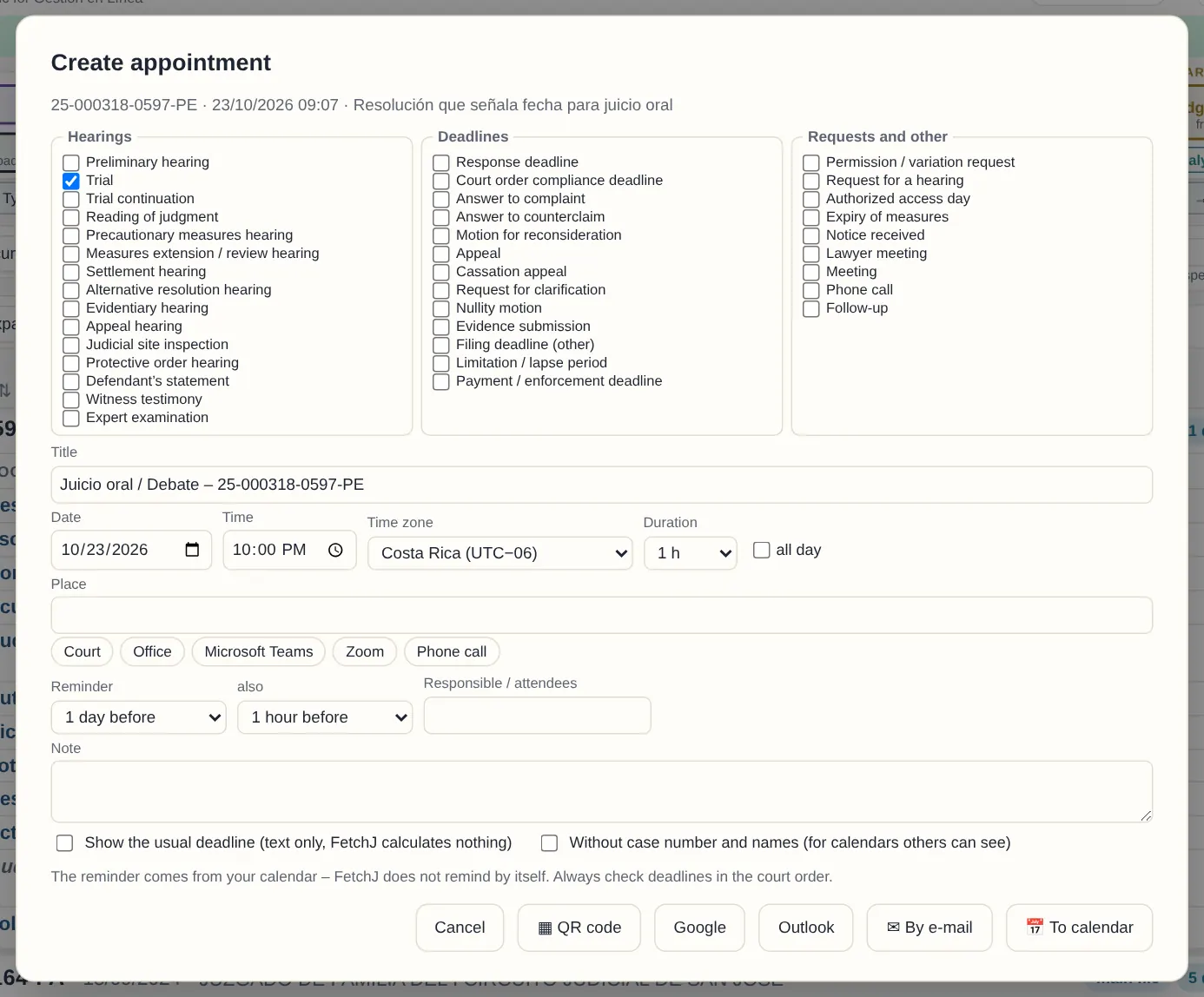
Appointments in your own calendar
Right-click a case or document → “Create appointment”. FetchJ fills in title, case and office; you choose date and reminder.
- Google, Outlook, Windows calendar, e-mail or QR code
- Option “without case number or names”
- The reminder comes from your calendar
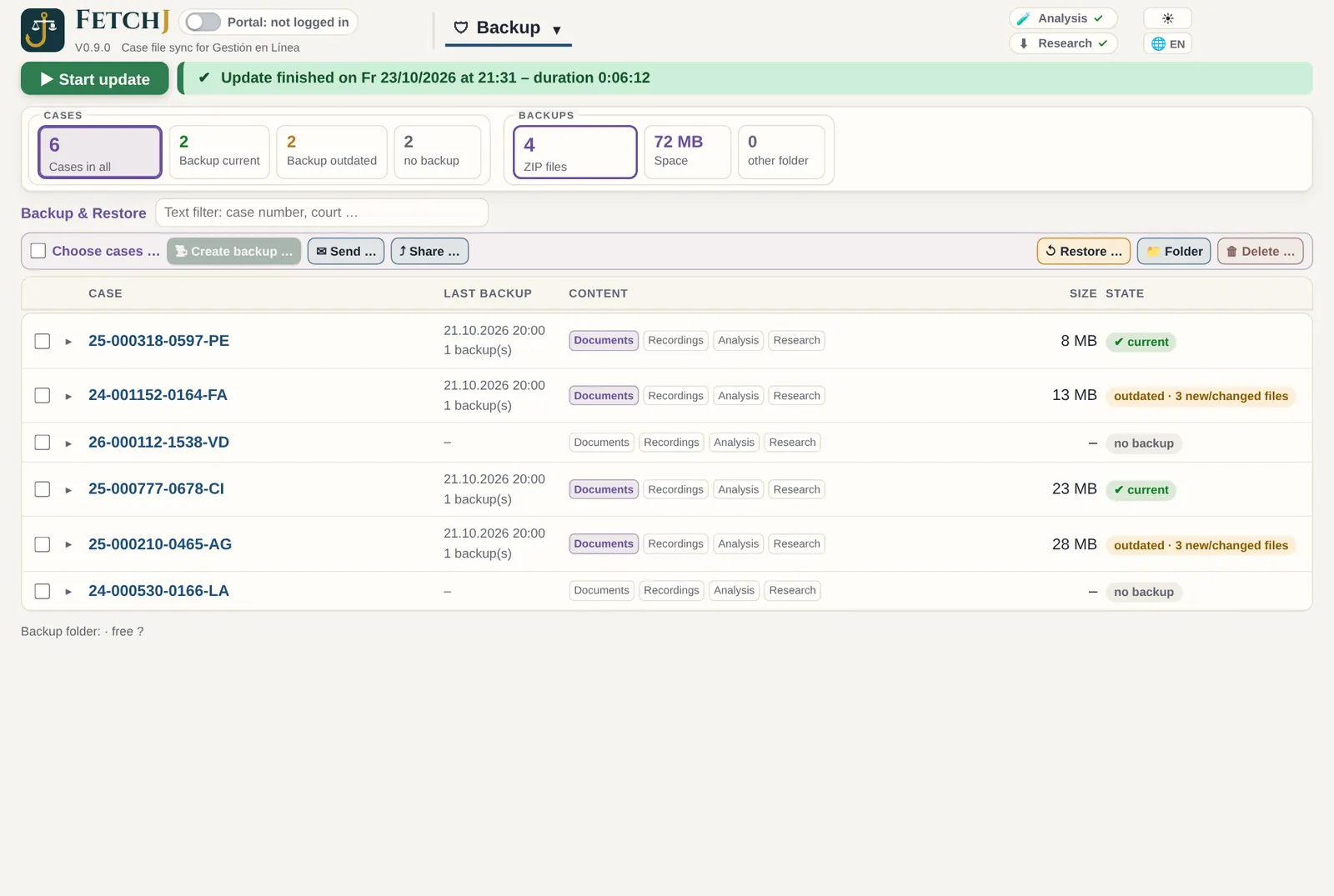
Archive and backup without duplicates
One ZIP backup per case – for archiving, handing over a case or moving to another computer.
- Choose the parts: documents, recordings, analysis, research
- If an identical backup exists, that one is used
- Restore: what is missing comes back, nothing is overwritten
- Checks free space first
Try it free for 30 days
Download FetchJ, log in to the portal and see your cases in order within minutes.